8.7 Take Menu Command Summary
The table below summarizes other Take menu management commands that are available to you.
Kind: concept (user-guide-section) Chapter: 8 Managing, Comping and Editing Takes Source: REAPER User Guide v7.70
The table below summarizes other Take menu management commands that are available to you:
Command (Shortcut) Explanation
Next take (T)
Makes next take the active take for all selected media items.
Previous take (Shift T)
Makes previous take the active take for all selected media items.
Delete active take (X)
Deletes currently selected take on all currently selected media items.
Crop to active take (Alt Shift T)
Removes all non-active takes from currently selected media items.
Duplicate active take
Adds a copy of the active take to the item as a new take.
Lock to active take (toggle)
Locks the current active take selection. When locked, a take cannot be changed unless this toggle is used to unlock it.
Show FX chain for active take
Opens FX browser to allow you to add FX to the active take.
Remove FX for active take
Removes FX previously added to a take's FX chain.
Take envelopes...
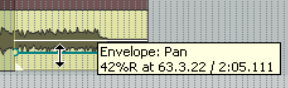
Opens a window from which you can choose to add a volume, pan, mute and/or pitch, and/or any take FX parameter automation envelope. (see Chapter 18)
Take markers
See section later in this chapter.
Explode all takes to new tracks
Copies each take to a new track.
Explode all takes in place
Places takes on top of each other, so that all will play at once.
Command (Shortcut) Explanation
Explode all takes (in order)
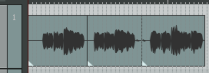
Places selected takes on the same track in sequence. This command turns this …. into this:
Implode items across tracks into takes:
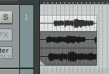
Copies all selected items to a single track as a series of takes. This command turns this ….……..… into this:
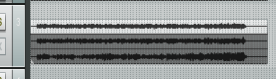
Implode items on same track into takes:
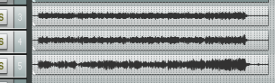
Moves all selected items to the same start time as a series of takes on the same track. This command turns this …. into this:

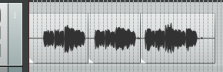
Paste to takes in items
Pastes previously selected and cut or copied takes into selected tracks as a new item.
There are also additional actions, not shown on the menu, that are available in the Actions List.