11.2 Alternative Mixer Layouts
As with the track panel, REAPER’s default theme includes three mixer layouts – A, B and C.
Kind: concept (user-guide-section) Chapter: 11 The Mixer and The Master Source: REAPER User Guide v7.70
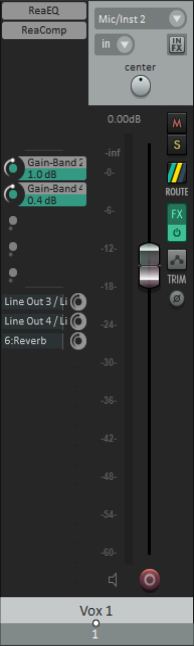
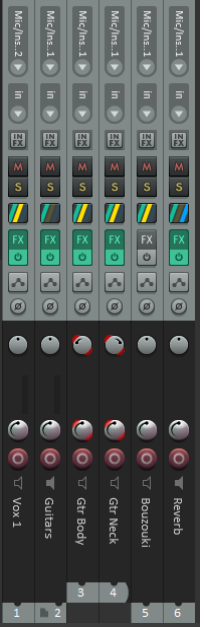
As with the track panel, REAPER’s default theme includes three mixer layouts – A, B and C.
Layout A is the default, and is the layout used for the illustrations in this chapter so far. It shows all of the track controls.
Layout B (left) displays the controls for each track as a vertical strip, thereby enabling more tracks to be displayed in the available space.
Layout C (right) uses a side panel to show FX inserts, FX parameter controls and sends. This layout allows for the maximum amount of information to be displayed per track but has the obvious possible disadvantage of using more screen space per track.
You can select one of these layouts by choosing from the main menu Options, Layouts, Mixer Panel then B or C.
To restore the default layout, choose Options, Layouts, Mixer Panel then Layout default.