5.3 Mute/Solo In Front
Mute settings include the option to automatically mute tracks when their volume exceeds a specified level.
Kind: concept (user-guide-section) Chapter: 5 Project Arrangement Basics Source: REAPER User Guide v7.70
Mute settings include the option to automatically mute tracks when their volume exceeds a specified level.
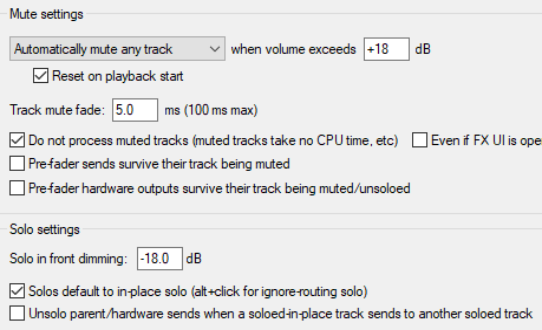
Solo in front lets you to hear the other tracks quietly in the background when one track or a track selection is soloed. This is toggled on and off by the Options, Solo In Front command.
These options are set on the Options, Preferences, Audio, Mute/Solo settings page. This setting (in the example shown it is set at 18dB) determines by how much the background mix is reduced. This means that the higher the setting the quieter will be the background mix.