10.10 Playback Time Offset with Routing
The track routing window includes an option to enable media playback time offset (click the Route button on the track): you can adjust individual tracks to play back media earlier or later. this is commonly used to account for MIDI….
Kind: concept (user-guide-section) Chapter: 10 Pitch and Time Manipulation Source: REAPER User Guide v7.70
The track routing window includes an option to enable media playback time offset (click the Route button on the track): you can adjust individual tracks to play back media earlier or later. this is commonly used to account for MIDI latency but could be used for other purposes.
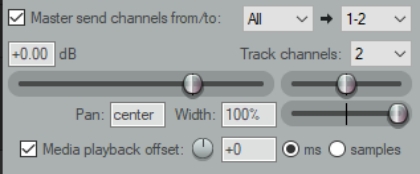
In addition, the Actions List now includes an action to
Convert embedded source transient information to
transient guides.
Being able to configure your MIDI output devices for optimum performance is not a new feature of REAPER. A new enhancement in REAPER 6, however, is that you are now able to enter either a positive or a negative value for output offset time.
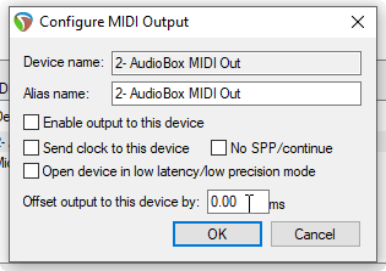
This is entered in the Configure MIDI Output dialog, accessed by right-clicking over the output device in the MIDI Devices page of your Preferences and choosing Configure output … from the context menu.
The Playback page of your Preferences now includes an option to set Max MIDI playback speed when applying negative track playback offset.
In addition, the Actions List includes an action to Bypass track playback offset.