5.8 Track Meter Options
The track control panel and track meter context menus include track meter display options which can be applied to a single track, or to a track selection.
Kind: concept (user-guide-section) Chapter: 5 Project Arrangement Basics Source: REAPER User Guide v7.70
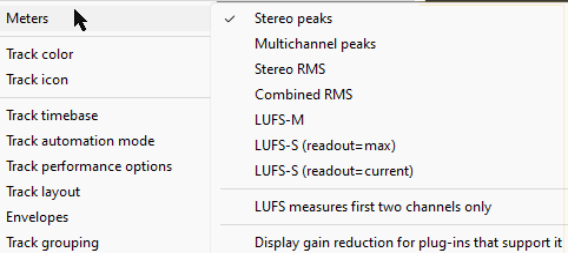
The track control panel and track meter context menus include track meter display options which can be applied to a single track, or to a track selection. See also Master track options and settings:
Stereo peaks – separate loudness peaks for each channel. Multichannel peaks – separate peaks for each of more thasn two channels. Stereo RMS – individual root mean squared loudness of each stereo channel Combined RMS – the combined RMS loudness of all audio channels LUFS-M – Loudness Units Full Scale (momentary) LUFS-S - Loudness Units Full Scale (short sampled), maximum or current LUFS measures first two channels only Display gain reduction for plug-ins that support it. Your Preferences, Appearance, Track Meter settings includes various other options which help determine track meter behavior, including oner for track meters to display pre fader levels.