2.14 Using an FX Bus
If you have used other DAW software, or an analog (tape) recording and mixing desk, you are probably already familiar with the concept of a Bus.
Kind: concept (user-guide-section) Chapter: 2 REAPER Project Basics Source: REAPER User Guide v7.70
If you have used other DAW software, or an analog (tape) recording and mixing desk, you are probably already familiar with the concept of a Bus. The exact meaning of the term can have several variations, but most commonly (and in this example), a Bus is used to enable a number of tracks to share the same resource (such as perhaps Reverb or Chorus FX). This saves on valuable computer resources such as CPU. For example, instead of requiring multiple instances of the same FX in perhaps three or four tracks or more, by using a Bus you can ensure that only one instance of the FX is required. Note that when you use a Bus in this way:
- The output of each track is still directed to the Master.
- In addition, a copy of the signal from each track is directed to the FX Bus.
- At some stage, the output of the FX Bus is then mixed back in with the original signal. Typically (and in the example shown here) this is achieved by directing the output of the FX Bus to the Master, although other more complex routing arrangements are also possible. The Bus track can be inserted wherever you like. In this example, we will place it just after the last track. This example uses the sample project file All Through The Night.RPP. Open this file, then save a copy to a new name such as All Through The Night with Bus.RPP before embarking on this example.
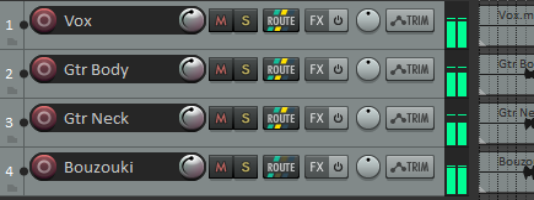
We are now going to create an FX Bus and insert into that bus a Chorus effect. We will then ensure that both of our guitar tracks use the chorus.
REAPER differs from many DAWs in that it makes no inherent distinction between a Bus and a Track. The difference is determined solely by how you use it. For a more pleasing sound, you might wish to pan the guitar tracks have been panned somewhat to the left and right respectively.