22.3 Main Project Preferences
REAPER's main Project settings include.
Kind: concept (user-guide-section) Chapter: 22 REAPER's Preferences and Other Settings Source: REAPER User Guide v7.70
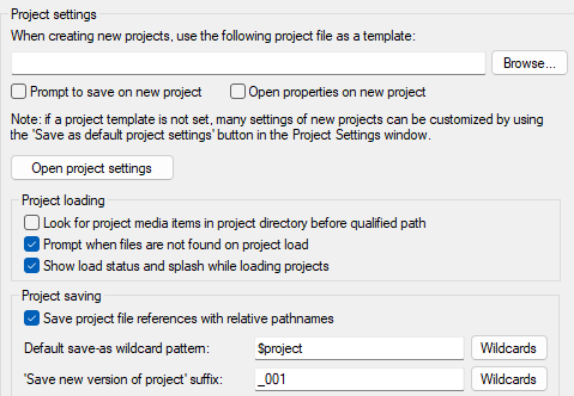
REAPER's main Project settings include:
- Option to specify a default .RPP file
to use as a template for new projects.
- Whether to prompt you to save
whenever a new project is created. .
- Whether to open and display the
project properties window when a new project is created - for example, if to set a project time signature or timebase different from your default.
- Whether to look for project media in a
project directory before looking in otherwise default paths.
- Whether to warn you if attempting to
load a project that cannot be found.
- Whether to show the file load status and REAPER's splash screen when a project is loading.
- Whether to save project file references with relative pathnames. This can be useful, for example, if a
project is likely to be moved from one disk to another.
- Options to specify a default wildcard pattern in file name when using File, Save as... command.
- Option to open Project Settings.