17.7 Sending FX Output to Another Track
You are able to send of any track FX output directly to any other track, instead of or as well as to itself.
Kind: concept (user-guide-section) Chapter: 17 More Routing Examples Source: REAPER User Guide v7.70
You are able to send of any track FX output directly to any other track, instead of or as well as to itself. Consider an example such as this. You have a track, say a mandolin, with an FX chain that includes eq, EQ and compression. You want to create a send to, say, a reverb bus track, after the EQ and compression. In this case, simply place the EQ first in the chain, and leave its output at the default, channels 1/2
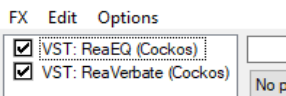
Here is another example. Left is shown an FX chain for (say) Track 1 of a project. Reverb is applied after the EQ. You could send the reverb output directly to another track instead of track 1, to further work on it there. To do this, click on the 2 in/out button on the FX interface. Select the EQ and direct its output both to channels 1/2 and to any other available pair (e.g. 7/8), as shown (right). Now select the Reverb plug-in and using its pin connector direct channel input from and output to only (for example) channels 7/8.
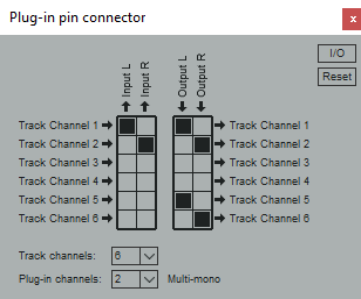
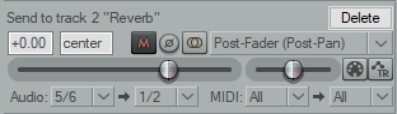
We can then create a new track – for example, Track 2 immediately after the current track) and create a send from channel 5/6 on the source track to channels 1/2 on the new track. Solo track 2 to hear the reverb by itself.