13.18 General MIDI Program Patches
We have already seen that you can use a Bank/Program Select lane to make program changes within an item.
Kind: concept (user-guide-section) Chapter: 13 Working with MIDI Items Source: REAPER User Guide v7.70
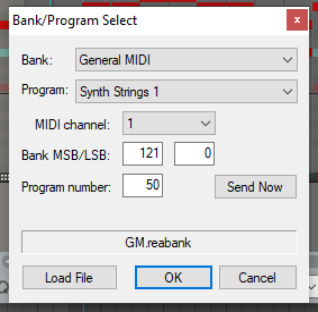
We have already seen that you can use a Bank/Program Select lane to make program changes within an item. It’s worth noting that REAPER includes a file GM.reabank (in the \Application Data\REAPER\Data folder) which can be used to select standard General MIDI banks and patches. An example is shown here.
If the General MIDI banks are not automatically available in the Bank drop down list, click on the Load File button, navigate to the REAPER data directory and select the file GM.reabank.