13.50 Custom MIDI Note and CC Names
You can define your own MIDI note and CC names and save them into a text file, which can then be imported into any MIDI project file using the command File, Note names, Load note names from file**.** A sample….
Kind: concept (user-guide-section) Chapter: 13 Working with MIDI Items Source: REAPER User Guide v7.70
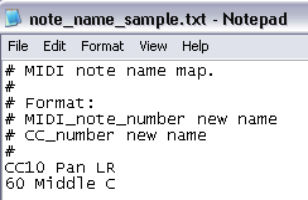
You can define your own MIDI note and CC names and save them into a text file, which can then be imported into any MIDI project file using the command File, Note names, Load note names from file**.** A sample file is provided with REAPER: you can edit this file to suit your needs, or create your own files using any standard text editor. To locate the sample file, choose from the main arrange view menu the command Options, Show REAPER resource path, then double-click on the folder MIDINoteNames to open it. You should then see a file named note_name_sample.txt. Right-click on this file name and choose Edit from the context menu to open it in your default text editor. The sample file content is shown here (right).
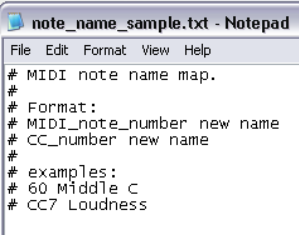
The # sign at the start of each line means it is a comment for illustration only and will be ignored by REAPER. To create actual names, simply type the extra lines in the format shown (without the #). An example is shown on the left. You can also delete any comment lines that you do not wish to keep. Save the file and close the text editor. This file can now be imported into any project file, using the method described in the MIDI Editor Menus section.