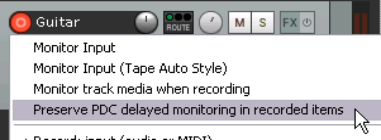
3.28 Preserve PDC Delayed Monitoring in Recorded Items
When monitoring audio on an armed track against previously recorded tracks any of which uses a plug-in that has latency (such as, ReaFir) this will cause the output to be delayed.
Kind: concept (user-guide-section) Chapter: 3 Recording Audio and MIDI Source: REAPER User Guide v7.70
When monitoring audio on an armed track against previously recorded tracks any of which uses a plug-in that has latency (such as, ReaFir) this will cause the output to be delayed. In this case you may wish to have the recorded output sound exactly as you are hearing it while recording. For example, you might be playing the notes early to make it sound right. With this option on, it will play back the same way you heard it as you played it, with the option off it will be earlier (as the PDC of the plug-in will take effect). In the recorded clip, the PDC amount is indicated by by two small right-angled triangular indents.