1.13 Arrange View and Mixer View
As you become more used to working with REAPER you will need to understan d the basics of the relationship between arrange view (which we have already examined) and mixer view. Ctrl M toggles display of the mixer.
Kind: concept (user-guide-section) Chapter: 1 Setting Up and Getting Started Source: REAPER User Guide v7.70
As you become more used to working with REAPER you will need to understan d the basics of the relationship between arrange view (which we have already examined) and mixer view. Ctrl M toggles display of the mixer. An overview of REAPER's mixer view is shown here (right). The mixer duplicates all of the functionality of the track panel as well as providing a number of additional features. As its name implies, arrange view is generally the preferred way of working when you are building your project – laying down and recording tracks, adding FX, etc. Mixer view is at its most useful, also as its name implies, whenyou have substantially finished building your project and are ready to mix it down to produce a finished project. You don't need to know a lot about it when you are starting out. We'll explore it in detail in Chapter11.
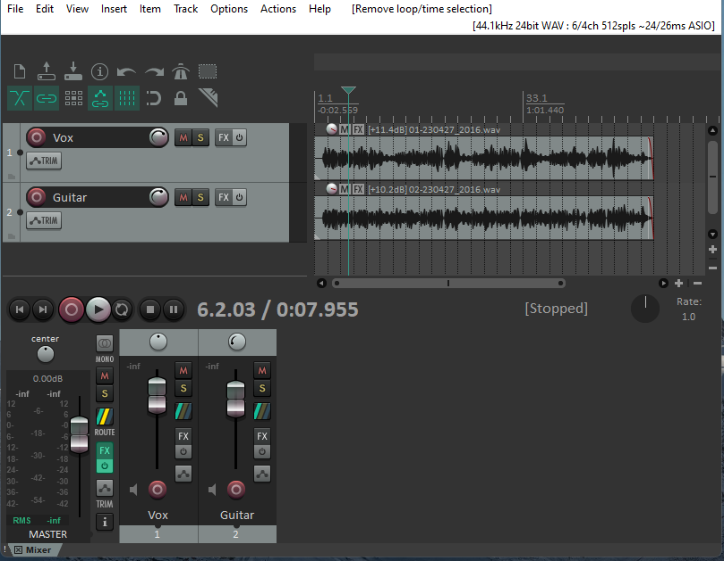
That said, note that if you do open the mixer then some controls will by default not be shown in the track panel. (as shown here). These include the routing button and the pan button. This brings us to our next topic ...