18.19 The Envelope Panel Controls
An envelope displayed in a lane can have its behavior and characteristics modified from within the TCP, using its fader, its buttons and its context menu.
Kind: concept (user-guide-section) Chapter: 18 Automation – Envelopes and More Source: REAPER User Guide v7.70
An envelope displayed in a lane can have its behavior and characteristics modified from within the TCP, using its fader, its buttons and its context menu. For example:
- In Trim/Read mode, use the knob to raise or lower
envelope for its entire length or for a particular time selection. For example, with no time selection active, adjusting a pan envelope's control knob to the left (anticlockwise) would cause panning for the entire track to be moved further to the left (maintaining the relative movement between existing points). If a time selection is active, then the envelope would be adjusted only within that time selection.
- Use the BP button to toggle bypass on and off.
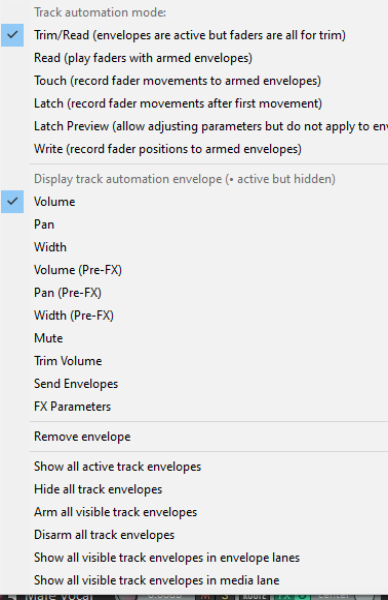
Right clicking over the envelopes Trim button in the TCP produces a menu which includes the following:
- A list of all available envelopes (track and send parameters plus any FX parameters). Choose one of these to change the envelope displayed in this lane.
- Various show/hide/remove envelope options.
- A list of automation modes: this is one way to change a track's automation mode.