18.13 The Envelope Manager
The Envelope Manager includes all the features of the Track Envelope Window, with the added benefit of letting you manage automation from a single interface across your entire project rather than only for the one track.
Kind: concept (user-guide-section) Chapter: 18 Automation – Envelopes and More Source: REAPER User Guide v7.70
The Envelope Manager includes all the features of the Track Envelope Window, with the added benefit of letting you manage automation from a single interface across your entire project rather than only for the one track. This also includes managing item take and FX envelopes. There are two ways of opening the Envelope Manager:
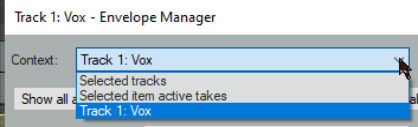
Either: Choose View, Envelope Manager from REAPER’s main menu, Or: Hold Shift while clicking on the automations (Trim) button of any track in a track selection. The Envelope Manager includes an extra drop-down, Context (see right). If you have opened it by shift clicking a track’s automation button then this menu will include options to select and work on that track only or on all selected tracks (as shown here). Shift clicking on the TCP automation button of another track within the selection will make that track the selected track. If opened from the View menu, the Envelope Manager menu will include no option to work on a named track.