13.47 Working with Piano Roll Synced to Project Arrange View
Here is an example of how you can work with the MIDI Editor piano roll synced to the project.
Kind: concept (user-guide-section) Chapter: 13 Working with MIDI Items Source: REAPER User Guide v7.70
Here is an example of how you can work with the MIDI Editor piano roll synced to the project. This is what we have done:
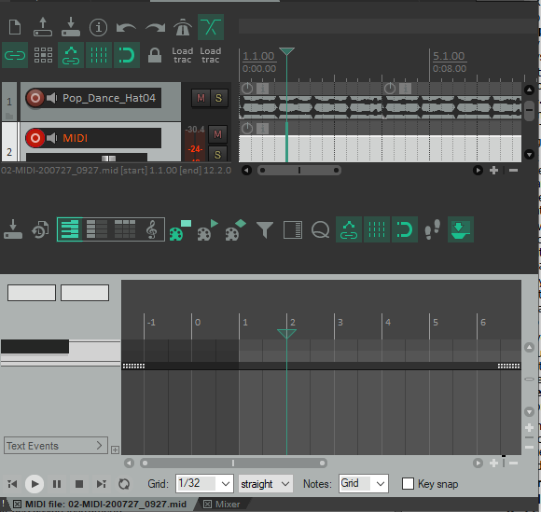
- Imported a sample or recorded an instrument as a wave file, then edited it as we wished. 2. Created a new empty MIDI item and double-clicked to open it in the MIDI editor. 3. Used the MIDI editor command View,
Piano roll timebase, Project synced.
- Right-clicked on title bar and chosen Dock Window. We can now work in the MIDI Editor as we wish: any MIDI editor notes and/or other events that we record/add will be visually aligned with the recorded instrument.