3.40 REAPER Audio Recording Checklist
The following checklist is for guidance only.
Kind: concept (user-guide-section) Chapter: 3 Recording Audio and MIDI Source: REAPER User Guide v7.70
The following checklist is for guidance only. In some cases you may vary the suggested order (e.g., you can switch on your PC and start REAPER before getting together your microphone and leads). In other cases the order is critical (e.g. you should always connect your microphone to your preamp before turning on the phantom power supply). If you are not sure, keep to the exact same sequence outlined here.
Item Comment
Preparation
Set up all external recording equipment needed (microphones, stands etc.). All faders and gain controls on mixer and/or sound device turned right down. Phantom power (if available) turned off. Everything connected that needs to be connected (e.g. microphone leads to mixer or sound device). Turn equipment on, but check volume on speakers isn't too loud. Connect headphones to headphone amp or sound device. If phantom power required (for condenser microphone), turn it on.
PC Preliminaries
Turn on PC and wait for Windows to open. Open REAPER with required project file. Save file.
Project Settings
Check recording format and settings – e.g. 24 bit WAV at 44100 Hz. Is a different format required for this track? Make sure Record Mode is set to Normal.
Track Settings
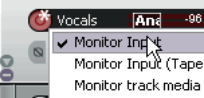
Named and armed for recording? Track Input Monitoring on or off? Use the Sound Card’s direct input monitoring if available in preference to REAPER’s. Record Input selected? Correct input channel selected?
Test Recording Levels
Start low and work up. Record a small sample to test levels: the three examples here show (left to right) too low, too high and about right. It is better to be too low than to be too high.

Recording
Press Ctrl R to record and again to stop recording when finished. Save media items. Press Ctrl S to save project file.
Evaluating
Unarm track before playing back recorded tracks to evaluate them. Especially if listening thru headphones, disable Input Monitoring (or turn faders and gain controls on the input device right down), to prevent live ambient sounds from being mixed in with your recorded material.