1.10 The REAPER Screen
The screen shots shown throughout this book mostly use the REAPER 7 default theme.
Kind: concept (user-guide-section) Chapter: 1 Setting Up and Getting Started Source: REAPER User Guide v7.70
The screen shots shown throughout this book mostly use the REAPER 7 default theme.
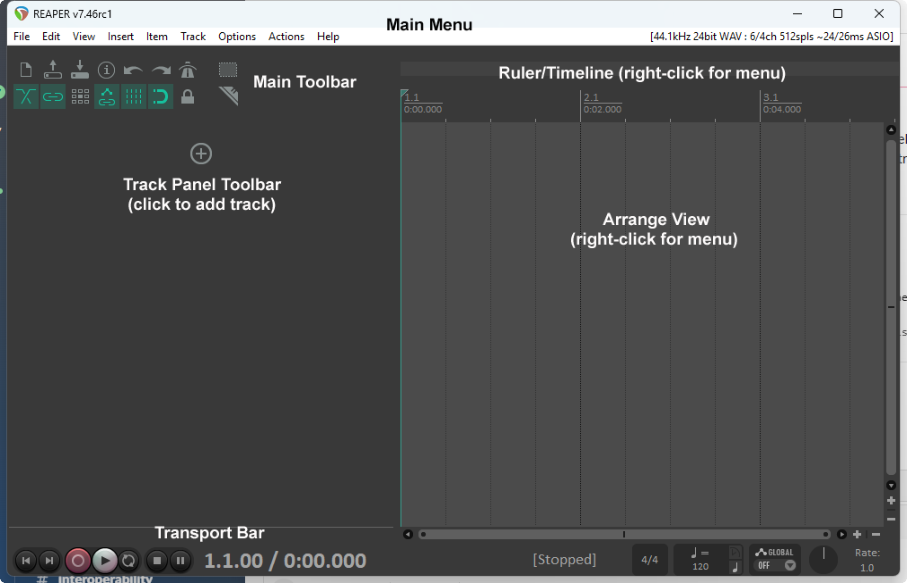
When you start REAPER, it displays a screen similar to that shown below. The table below the illustration introduces briefly each of the main screen elements.
Note: You can adjust the boundary between the arrange view and the track panel so as to allocate screen space between the two as you wish. Hover the mouse over the border between the track panel and arrange view to display a horizontal double-headed arrow across a light blue vertical line. You can then drag the boundary left or right as you wish.