15.11 Keyboard Shortcuts for the MIDI Editor
Editing is one area where assigning actions to shortcuts can be especially useful, and nowhere more so than when you are using the MIDI Editor.
Kind: concept (user-guide-section) Chapter: 15 Customization: Actions, Mouse Modifiers, Menus and More Source: REAPER User Guide v7.70
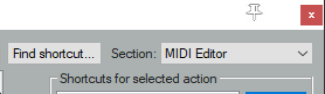
Editing is one area where assigning actions to shortcuts can be especially useful, and nowhere more so than when you are using the MIDI Editor. Take the trouble to familiarise yourself with the contents of the MIDI Editor section of the Action List and you should be well rewarded. Notice also that there are separate sections for the MIDI Event List Editor and the MIDI Inline Editor.
The method of assigning shortcuts to actions, changing or removing existing assignments, etc. is the same as that used in the Main section. Below are listed some examples of actions that you might find useful when working in the MIDI Editor. Special thanks go to Susan G for compiling these lists.
To do this …. Use an action such as … Channels Management
Specify a channel for new notes and events Action: Set channel for new events to 01 ...1 6 Show all or specified channels Channel: Show all/only/toggle channels 01 … 16 Change the channel for selected notes Edit: Set notes to channel 01 ... 16
Managing Notes
Insert notes of a specific length Insert note …. [range from 1/128 to 1/2 to whole note] Make notes legato Set note ends to start of next note Transpose notes Edit: Move notes up/down one octave/semitone Adjust note lengths slightly Edit: Lengthen/Shorten notes one grid unit/pixel Adjust velocities Edit: Note velocity +/-01, 10 Display only notes matching specified criteria Filter: Toggle filter on/off
Cursor/Grid Management
Advance the cursor by a note value Cursor: advance … [range from 1/128 ... to whole note] Move the cursor by specific amount Edit: Move edit cursor right/left by grid/measure/pixel Change the grid divisions Grid: Multiply grid size by... or Grid: Set division to…