13.43 MIDI Controlled Pitch Shift with ReaVoice
The ReaVoice plug-in can be used in conjunction with a recorded vocal track to create pitch shift harmonies.
Kind: concept (user-guide-section) Chapter: 13 Working with MIDI Items Source: REAPER User Guide v7.70
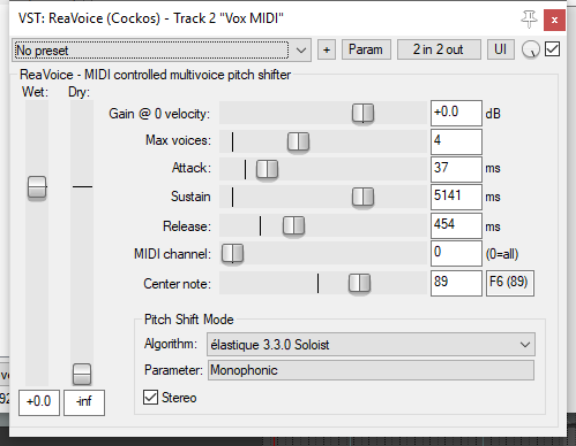
The ReaVoice plug-in can be used in conjunction with a recorded vocal track to create pitch shift harmonies. As with many other plug-ins, ReaVoice can be used in a number of ways. In this section we will take you thru just one example. After completing this example you should be able to experiment with this plug-in’s capabilities for yourself. The procedure for using ReaVoice is as follows:
- Record the Vocal Track.
- Insert a new track immediately
below the Vocal Track.
- Create a send from the Vocal Track
to the new track. Initially at least, this should be Pre FX.
- Insert ReaVoice into the FX
Window of the new track.
- Arm this track for recording. Make
your MIDI keyboard the Input Device and turn Input Monitoring on.
- Mute all tracks except these two.
- Play the song. As you do so, play
the keyboard, experimenting until you find an appropriate range of notes.
- Work out what you want to play,
press W to return to the beginning, then Ctrl R to record. Stop recording when finished.
- If you do not have a MIDI keyboard, you can either use REAPER’s Virtual keyboard, or you can enter the
notes by hand using the MIDI Editor.
- If you wish, you can record more than one take, selecting Play All Takes for the MIDI track items.
- After finishing recording, you can use the MIDI Editor to polish your work.