11.4 Managing Parent/Child Tracks
You can see that the display options menu (above) includes several options for managing parent and child tracks when your project makes use of folders.
Kind: concept (user-guide-section) Chapter: 11 The Mixer and The Master Source: REAPER User Guide v7.70
You can see that the display options menu (above) includes several options for managing parent and child tracks when your project makes use of folders. Let’s see an example of how this might work in practice.
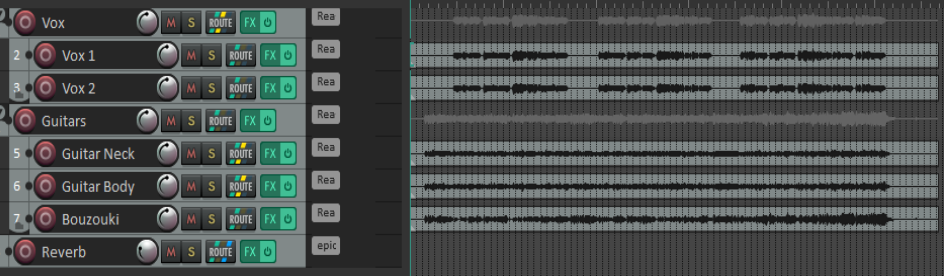
Take as an example the above project. It has two folders (or parents) - Vocals and Guitars, containing two and three child tracks respectively - and one top level track, called Reverb. There are sends from the two folders to the Reverb track (which acts as a bus). All of the tracks have some FX in them. The first group of four “Show” commands on the Mixer menu are used to determine which types of track are displayed and how they are displayed..
In the example shown here the Mixer is using layout A to display all tracks and folders, with indents and aligned controls, with the master on the right. The track panel is also using layout A, but that is not really relevant.
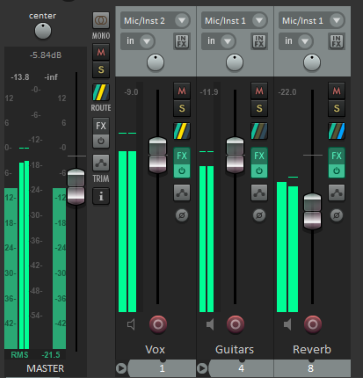
Now let’s suppose that we wish to work with folders and top level tracks only, not displaying child tracks. Using the context menu we can deselect Show tracks that are in folders. The result is shown here. The Mixer menu does not have any option to hide or unhide named individual tracks. However, this can be done using the Track Manager. The Track Manager will be explored in Chapter 12.