6.1 Grouping FX in Folders
We have already covered the basic techniques involved in using effects on your REAPER tracks.
Kind: concept (user-guide-section) Chapter: 6 Managing Track and Item FX Source: REAPER User Guide v7.70
We have already covered the basic techniques involved in using effects on your REAPER tracks. We are now going to look at some of the options available to help manage and use your FX more effectively. We'll be looking in more detail at how you use some of the more important individual effects later (Chapter 16): in this section we're mainly concerned with the broader issues of managing and organising plug-ins.
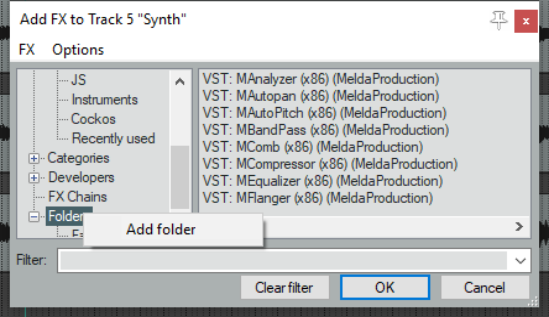
REAPER automatically groups your FX in various ways – by type (VSTi, VST, JS, etc.), by category (Analyzer, Dynamics, EQ, etc.) and by developers (e.g. Melda, Voxengo, Wave Arts). In addition, you can create your own group folders. FX can be grouped as you wish. For example, you might wish to create a folder called Chorus/Delay/Reverb to display these plugins together. You can create as many folders as you wish, and the same plug-in can be placed in more than one folder. The use of smart folders can make this job easier (by automatically adding plug-ins to your folders for you). You can also drag and drop selected FX into your folders. The table below summarizes how to work with folders.