12.19 Track Control Panel and Menu Bar Help
A selection of useful information can be displayed below the control panel and at the end of the main menu bar.
Kind: concept (user-guide-section) Chapter: 12 Managing The Overall Project Source: REAPER User Guide v7.70
A selection of useful information can be displayed below the control panel and at the end of the main menu bar. Right click just below the track control panel and select from these options:
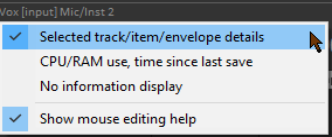
Selected track/item/envelope details CPU/RAM usage, Time since last save No information display Show mouse editing help
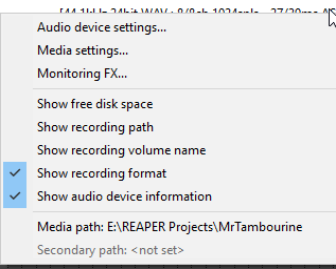
The first three of these options are mutually exclusive: that is you can select only one of them. In the case of the menu bar (right hand end), you can select from the following options:
Show free disk space Show recording path Show recording volume name Show recording format Show audio device information
This menu also gives you access to the Audio Device page of your preferences, the Media Settings page of your project settings, and the Monitoring FX window.