21.4 Dry Run Render Stats and Options
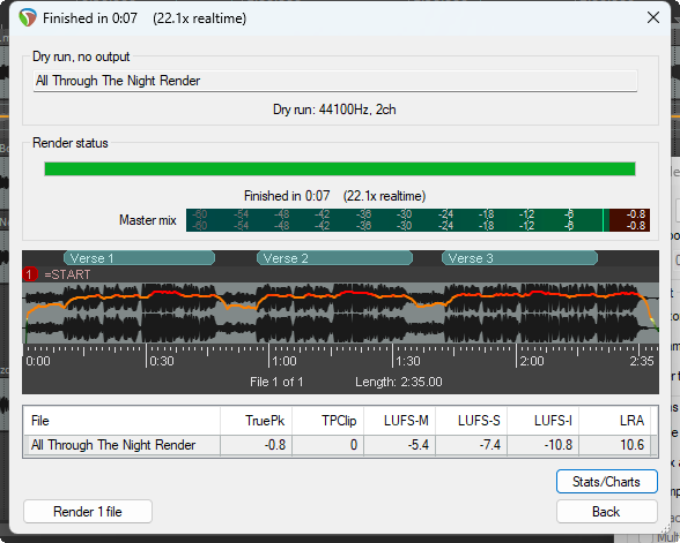
When rendering to a file or doing a dry run this window (below) will open. and (depending on options) may stay open until you close it.
Kind: concept (user-guide-section) Chapter: 21 Exporting Files, Mixing Down and Rendering Source: REAPER User Guide v7.70
When rendering to a file or doing a dry run this window (below) will open. and (depending on options) may stay open until you close it. This helps to to identify potential issues (such as clipping) before finally rendering. The display (below right) includes the rendered waveform, markers and regions, loudness statistics and indications of any clipping. In the example shown here there is no clipping. Click on the waveform display to reposition the arrange view cursor. Click and drag along the waveform to mark a time selection in arrange view. Other options include to calculate and show various statistics.