7.5 Media Item Editing with Track Group Items
In Chapter 5 we looked at track grouping, including the track grouping matrix.
Kind: concept (user-guide-section) Chapter: 7 Managing and Editing Media Items Source: REAPER User Guide v7.70
In Chapter 5 we looked at track grouping, including the track grouping matrix. That covered grouping track controls such as volume and pan. Here we are looking at grouping not track controls but media items within and across the tracks, so that an item selection can be edited together. For example, you might want to adjust the item volume handle for a selection of items, or move or copy them together across several tracks.
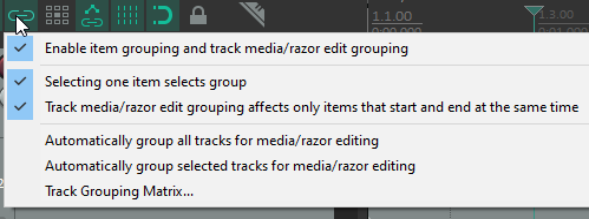
Track item grouping behavior can in part be managed via the item and track media grouping tool on the main toolbar. Right-clicking over this tool displays the menu shown above.