18.33 Automation with Item Take and Take FX Parameters
Individual media items and takes can be given their own Volume, Pan, Pitch and Mute envelopes.
Kind: concept (user-guide-section) Chapter: 18 Automation – Envelopes and More Source: REAPER User Guide v7.70
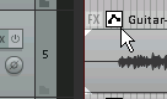
Individual media items and takes can be given their own Volume, Pan, Pitch and Mute envelopes. Right click over the item, choose the Take command, and then select your required envelope from the menu. Alternatively, you can click on the item's envelope button (if visible) and make your selection from there. Item buttons can be selected to be displayed from the Appearance, Media page of your Preferences window.