7.23 Displaying the Item Ruler
You can display a ruler on individual media items by selecting the item(s) then right-clicking and choosing Item settings, Display item ruler, Item ruler settings from the menu.
Kind: concept (user-guide-section) Chapter: 7 Managing and Editing Media Items Source: REAPER User Guide v7.70
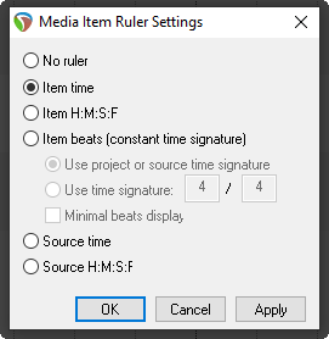
You can display a ruler on individual media items by selecting the item(s) then right-clicking and choosing Item settings, Display item ruler, Item ruler settings from the menu. Your options are Item time, Item H:M↓S:F. Item beats (constant time signature), Item beats, Minimal, Source time or Source time H:M:S:F. There is also an option to display the Item ruler settings dialog (shown here). This, for example, allows you to specify a time signature other than the project/source time signature if you wish.
