14.9 Editing Notation Events in Other Views
Notes, of course, can be added, edited and deleted in REAPER’s other MIDI Editor views.
Kind: concept (user-guide-section) Chapter: 14 Music Notation and REAPER's Notation Editor Source: REAPER User Guide v7.70
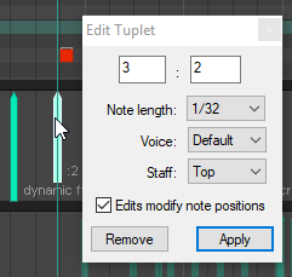
Notes, of course, can be added, edited and deleted in REAPER’s other MIDI Editor views. This also applies in part to dynamics and text/custom events and lyrics. In event list view, these events are listed in sequence along with all other events (notes, CC messages etc.). Select any dynamic, lyrics/text or track (dynamics) event and use the Delete key to delete it. Lyrics/text events can also be edited – double-click to make the event available for editing. New lyrics/text events can also be entered by right clicking at the required position and choosing Insert new text event… from the menu. In In piano roll and named note views, a Notation Events lane can be displayed in the CC lane area for lyrics/text, dynamics and tuplets. These events will be displayed as vertical bars which can be moved (click and drag), deleted (delete key) or edited (double click). Right-click in the event lane at the required position to enter a new dynamic, text or custom notation event.