7.19 Implode Items To One Track
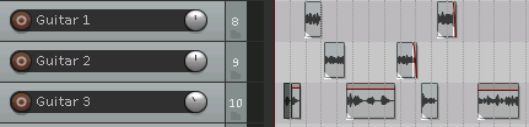
Where you have built up a number of items that belong together but are spread across several tracks (as shown top right) you can select them all, right-click over any track in the selection and choose Item processing,.
Kind: concept (user-guide-section) Chapter: 7 Managing and Editing Media Items Source: REAPER User Guide v7.70
Where you have built up a number of items that belong together but are spread across several tracks (as shown top right) you can select them all, right-click over any track in the selection and choose Item processing,
Implode items across tracks into items on
one track. This will move them to a single track (right).